Job Match AI
Score any candidate against any job in seconds. Job Match AI compares the scanned CV with your job requirements and explains exactly why a candidate is (or isn’t) a fit.
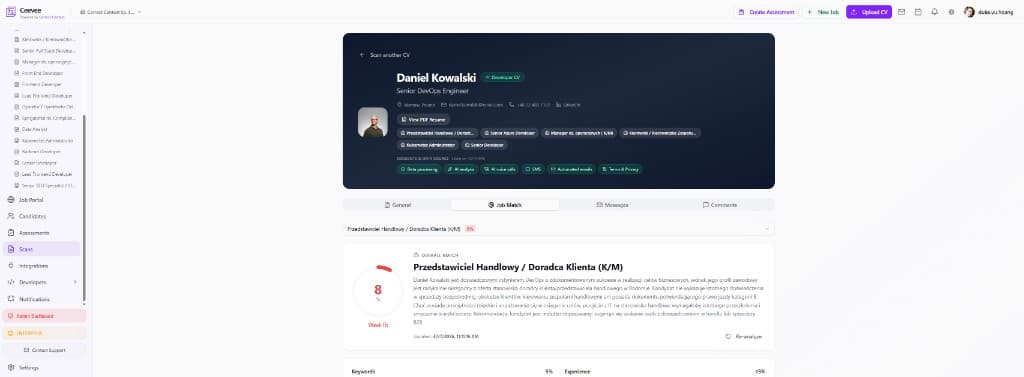
Open the Job Match tab
Open any candidate scan and switch to the “Job Match” tab. Pick a job from the dropdown at the top — every open role in your workspace is available for matching.
Read the match score
Ceevee shows a 0–100 match score with a clear label (Weak fit, Moderate fit, Strong fit). The score is color-coded so you can triage a stack of candidates at a glance.
Understand the reasoning
Below the score, the AI writes a plain-language explanation: which requirements the candidate meets, where the gaps are, and how their experience maps to the role. Sub-scores break the match down by keywords, experience and other dimensions.
Re-analyze when things change
Edited the job description or got an updated CV? Click “Re-analyze” to recompute the match with the latest data. The timestamp shows when the match was last refreshed.
Use scores to prioritize
Match scores appear next to candidates in the pipeline view, so your shortlist is automatically ordered by fit — spend your interview time on the strongest matches first.