AI Calling
Run AI-powered phone screening calls in batch. Paste a list of candidate phone numbers, override the system prompt per role, and review transcripts, recordings and outcomes from a single dashboard.
Open the AI Calling dashboard
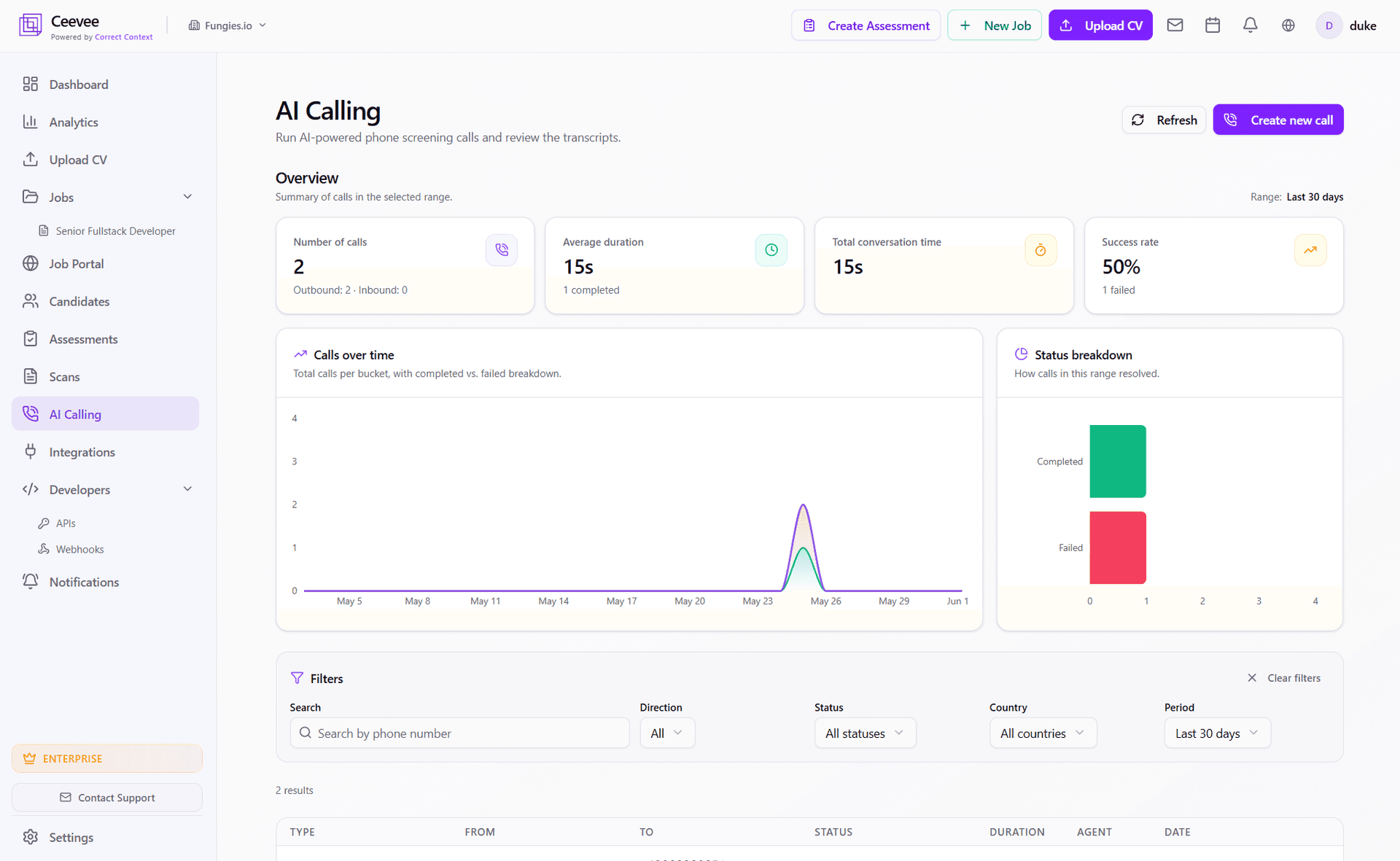
Click "AI Calling" in the sidebar. You’ll see headline KPIs (number of calls, average duration, total conversation time, success rate), a calls-over-time chart, a status breakdown and the full call history with filters.
Create a new AI call (or batch)
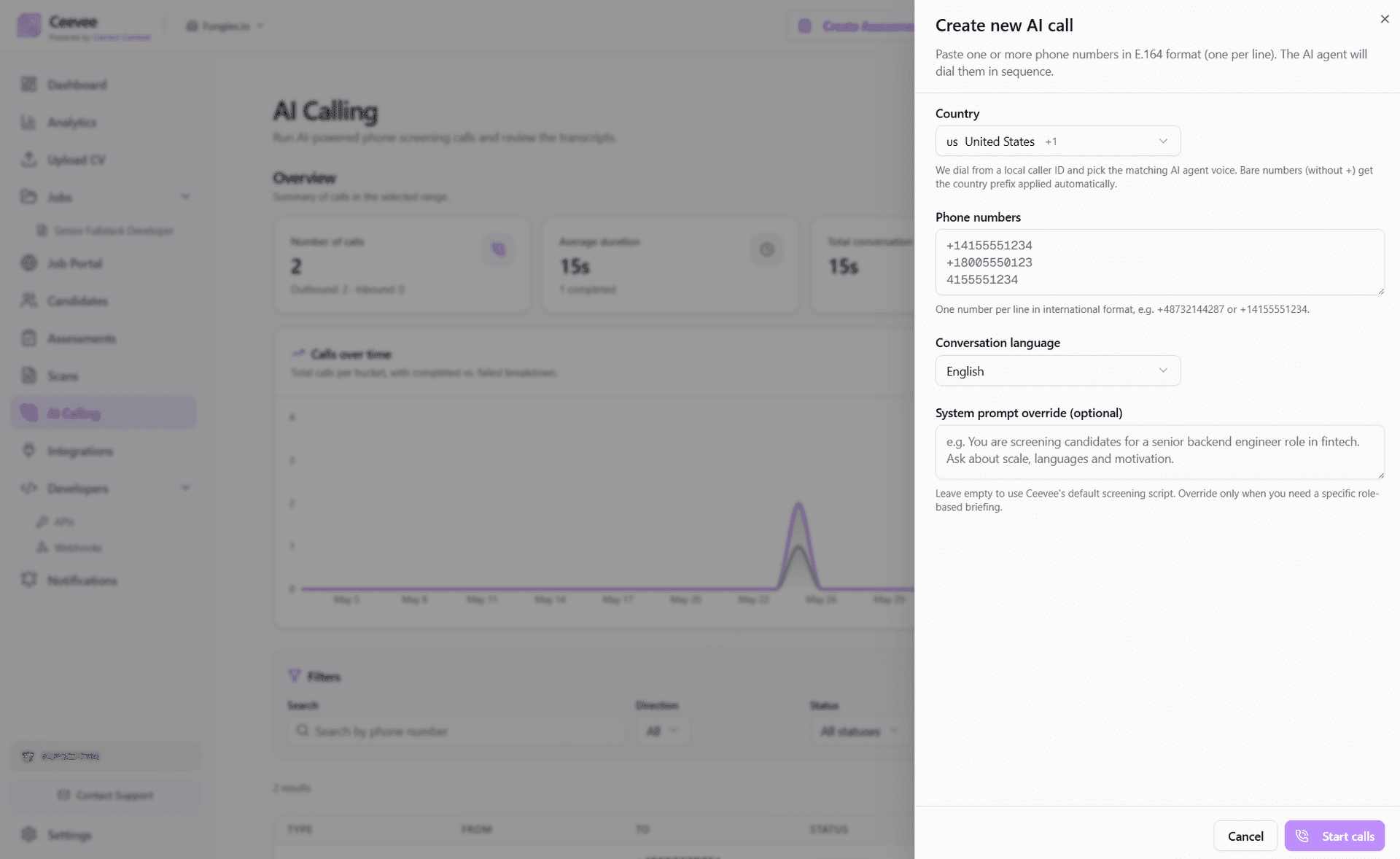
Click "Create new call" in the top-right. Paste one or more phone numbers in E.164 format (one per line). Pick the country (a local caller ID is matched automatically), the conversation language, and — optionally — a system prompt override with role-specific instructions.
Filter and search past calls
Use the Filters bar to narrow the call history by phone number, direction (inbound / outbound), status (all / completed / failed / busy), country and time period (24h, 7 days, 30 days, custom). Every change re-renders the charts above instantly.
Review a single call in detail
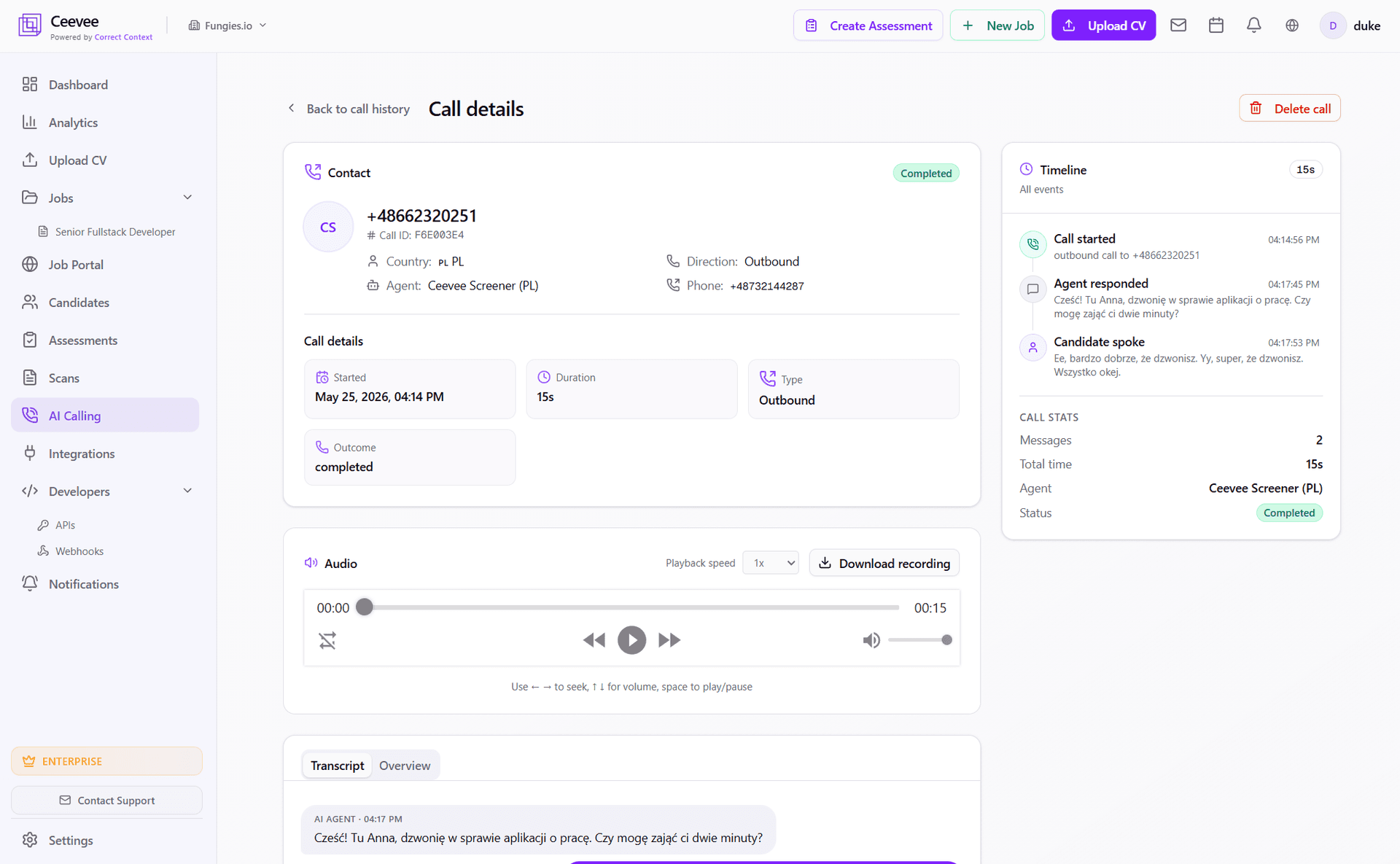
Click any call row to open the Call Details page. You’ll see contact info, country, agent, direction and outcome at the top. Below that: an audio player with download, 1x/1.5x/2x speed, seeking and a full event timeline (call started, agent responded, candidate spoke).
Read the transcript
Switch between the "Transcript" and "Overview" tabs at the bottom of the Call Details page. The Transcript view shows the full back-and-forth with role-tagged turns (AI Agent vs. Candidate) and timestamps. The Overview tab shows the AI-generated summary and key points captured during the call.
GDPR & retention
All calls are recorded with automatic disclosure at the start. Candidates can opt out using local-language keywords. Recordings are stored in EU data centers. Workspace owners can configure retention from 7 days to 1 year, or delete any individual call from the Call Details page.